Celebration cards:
The celebrations of the dashboard are all now centralised in Celebration cards for a better experience using the communities and finding the posts easily.
How can I have access to the celebrations?
To have access to the celebrations:
- On your sidebar, click on Dashboard
- Scroll down until you find a "Today" section
- A list of celebrations will appear
- Click on the card of your choice

The celebration cards can be about: Birthdays, work anniversaries, and the new joiners of the company.
Claps
Spread positivity and recognition by sending Claps to your coworkers.
How can I send Claps?
- On your sidebar, click on Dashboard
- Scroll dow until you find a card with "Share the love"
- A new page will open where you add your message and mention your coworker
- Choose a community and check the boxes or not
- Click on Send

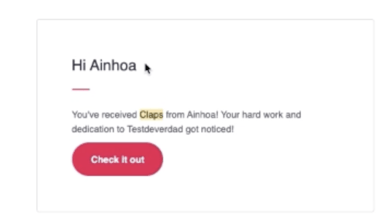
Once done your message will appear in the Claps section and, if you chose to send an email, your coworker will receive one and will be redirected to the post in order to view it by clicking on check it out.
Where to find Claps
- In Home, choose a community
- Select Claps

How can I manage Claps?
How to edit a Claps post:
- Head to the Dashboard
- Click on (…) of the Claps post of your choice
- Click on Edit

How to delete a Claps post:
- Head to the Dashboard
- Click on (…) of the Claps post of your choice
- Click on Delete
- A modale will appear
- Click on Proceed

How to turn off notifications a Claps post:
- Head to the Dashboard
- Click on (…) of the Claps post of your choice
- Click on Turn comments and reactions off

Only admins can edit, delete or turn off notifications the Claps.