Managing projects can be a complex and time-consuming process. From planning and organising to tracking progress and making adjustments, there are many moving parts to consider. However, with the right tool, project management can be streamlined and made more efficient. That's where our powerful project management tool comes in.
By providing a centralised section for project management, our tool simplifies the entire process, allowing you to focus on what matters most: delivering high-quality results.
So whether you're a project manager, team leader, or individual contributor, our project management tool can help you take your projects to the next level.
What you can do with the project management tool
Manage project easily
Create, edit, assign and change project statuses directly from the main Projects page.
This page displays:
- Project name
- Project code
- Employees assigned to each project
- Client
- Tracked hours per project
- Completed tasks within the project
- Billing information
- Status
- Cost-to-date
- Start date
- Due date

Flexible project tracking
A flexible way to track time dedicated to projects independently of the clock-in and the hours worked. Employees will add time to assigned projects without going through the clocking-in process.
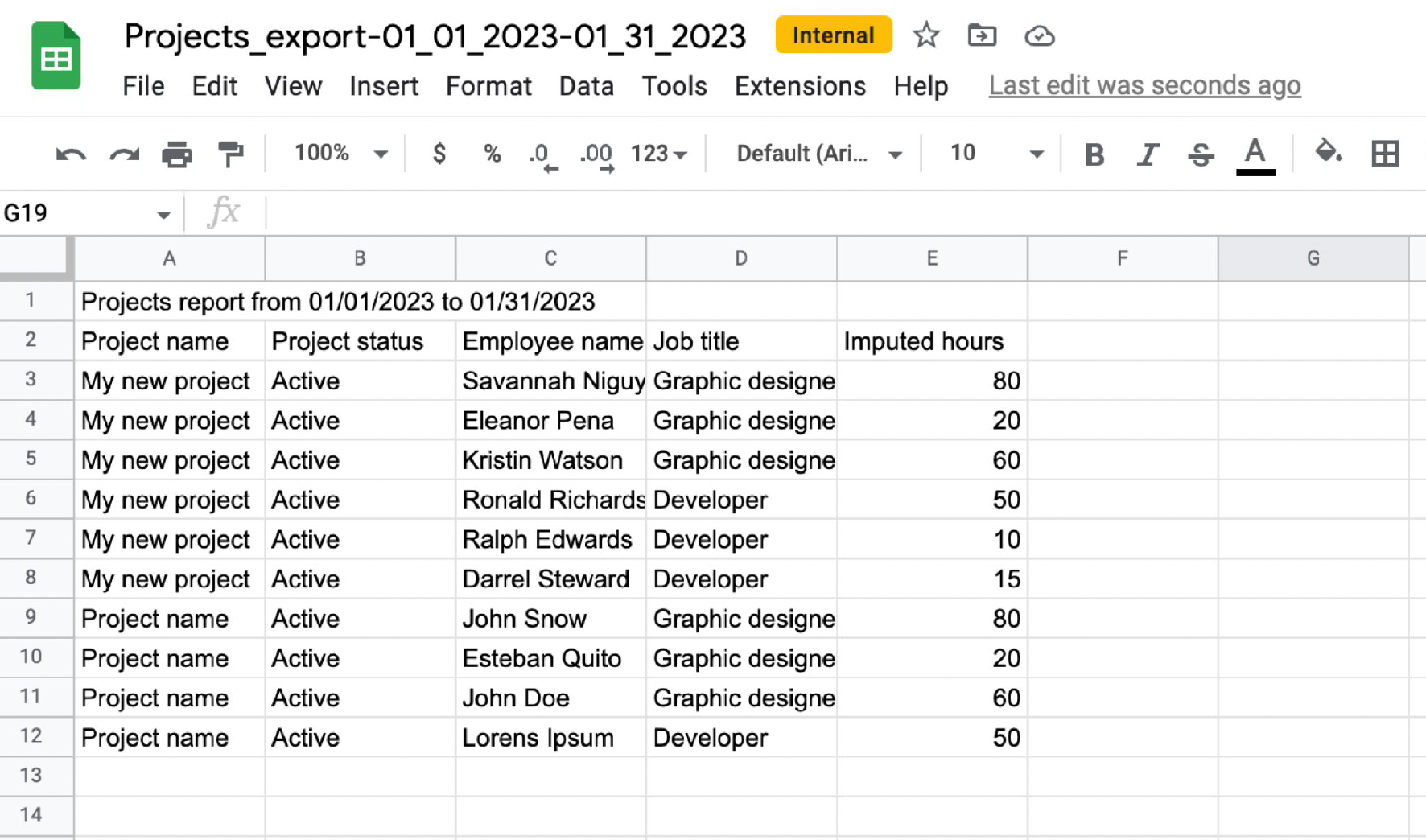
All this information will be included in exports for easy consumption.

Connect expenses to Projects
Assign expenses to their corresponding project for accurate spending tracking. This feature facilitates answering questions such as, "How much is the company spending on expenses for this specific project?" providing valuable insights into the company's expenditure.
- The employee creates and submits the expense.
- When completing the expense, they must fill in the Projects field and select the corresponding project.
- Once submitted (and approved, if applicable), the expense is linked to the selected project.
- The expense will automatically appear in the project under the Spending section.

Controlled access and visibility
Allow your manager or any person you want to access the project section. Just activate the desired permissions for the selected group of users.

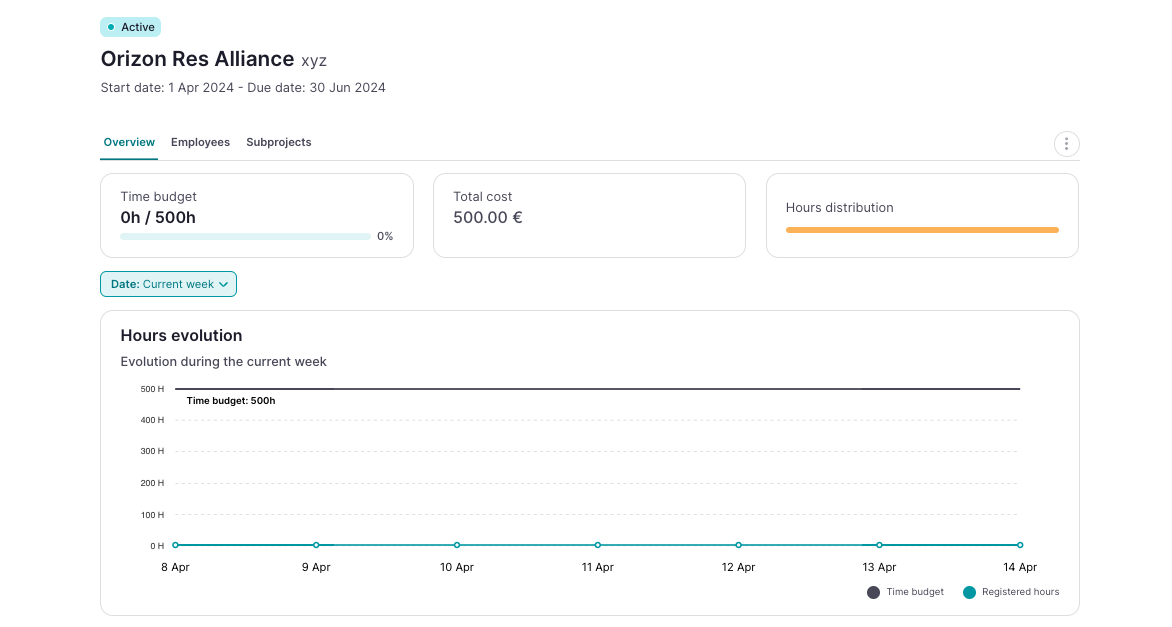
Overview: all project information in one place
The overview page includes data on project hours and provides various views related to assigned employees. You will be able to see both the total hours recorded and the total hours divided by employee.

Export your data
Export the project selecting a format and use the data to calculate cost, profitability, and performance.
Schedule section in Projects → People
A Schedule tab is included in Project People. This tab displays the same planning information that employees see in My Projects → Schedule.
This allows project owners and editors to easily access scheduling information.
This feature is available for all companies on the Projects Business and Enterprise plans.

In the employee list view, click on the new eye button.
- A modal will open with toggle switches for each data type.
- Adjust visibility in real time — changes apply instantly to your current view.
